No products in the cart.
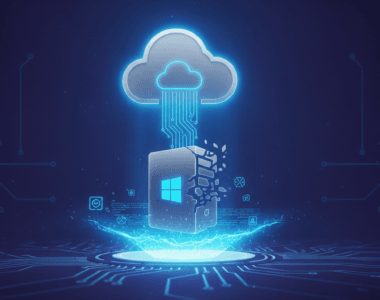
Windows Update Hell is something I’ve personally witnessed countless times, and honestly, it’s one of the most frustrating experiences you can have with a PC that’s been sitting dormant for months. You power up that old laptop or desktop, and suddenly you’re stuck staring at an update screen for hours while your system crawls to a halt. It’s maddening because you just wanted to check your email or do some quick work.
The problem gets exponentially worse the longer a machine has been unplugged from the update cycle. Microsoft’s update system wasn’t really designed for computers that take extended breaks from the internet. When you finally reconnect after months of neglect, Windows tries to install what feels like every single security patch and feature update that’s accumulated since you last booted up properly.
Windows Update Hell – Why People Are Talking About It
This issue has become increasingly visible because more people are working from multiple devices now. You’ve got that old work laptop in the closet, the backup desktop in the spare room, or maybe a secondary machine you use occasionally. When you need it most, Windows Update Hell kicks in and makes the device completely unusable for a solid chunk of time. The sheer frustration of waiting 2-3 hours just to use your computer again has made this a genuine pain point that people notice and complain about constantly.
Windows Update Hell – What You Should Know
The reality is that keeping your Windows license active and your system regularly updated is actually the best preventative measure. If you’re buying a Windows key for an older machine or setting up a fresh installation, make sure you commit to at least connecting it to the internet regularly, even if you’re not actively using it. Staggering updates over time by keeping your device online periodically prevents that catastrophic update storm. When you buy a legitimate Windows license from a trusted source, you’re not just getting the software – you’re getting the ability to maintain it properly through the update system, which is genuinely important for older hardware.
Comparison: Windows Update Hell Options
| Approach | Regular Updates | Ignored Updates |
|---|---|---|
| Update frequency | Monthly small patches | 6+ months of backlog |
| Time investment per session | 15-30 minutes occasionally | 2-4 hours when you need it |
| System stability | Stable and secure | Sluggish and vulnerable |
| Best for | Anyone who cares about their PC | Machines destined for problems |
Windows Update Hell – Final Thoughts
Look, the solution to Windows Update Hell isn’t rocket science, but it does require some discipline. The computers that suffer the most are genuinely the ones that sit untouched for extended periods. If you’ve got an older machine that’s important enough to keep around, it’s worth actually using it occasionally or at minimum booting it up and letting it connect to the internet for updates. It’s not fun, but it beats the alternative of being trapped in update purgatory when you actually need to get something done. Make sure your Windows license is legitimate and properly activated – that’s your foundation for keeping everything running smoothly.
FAQ
What is Windows Update Hell?
It’s when a PC that hasn’t been updated in months suddenly needs to install a backlog of patches, security updates, and feature releases all at once, essentially making the machine unusable for hours.
Is Windows Update Hell worth worrying about?
Absolutely, if you actually plan to use the computer. A few minutes of updates spread over time beats getting stuck for half a day when you suddenly need your PC.
Where to get a proper Windows license?
If you’re setting up an older machine or upgrading, check out Windows licenses here to get a legitimate copy that’ll keep your system updated properly.

If you are looking for a genuine license check Windows licenses here.