⚡ Instant digital delivery · Genuine licenses

Microsoft License Keys for Windows, Office & Windows Server

Windows 11, Office 2024, Office 365, Windows Server, Visio, Project and Visual Studio keys. Your key and the official Microsoft download link arrive by email within minutes, with activation help if you need it.

★★★★★Rated 4.5/5 on Trustpilot from 270 reviews
  • ⚡Key by email in minutes
  • ✔Official Microsoft download
  • 🔒Secure Stripe checkout
  • ↻Replacement or refund if a key fails
  • 💬Activation help 24/7

How Buying a Microsoft License Key Works

From checkout to activated software in a few minutes.

  1. Choose your productEach listing shows the license type, number of devices and system requirements.
  2. Pay securely by cardCheckout is processed by Stripe, with Apple Pay, Google Pay and Link available.
  3. Get your key by emailYour key and the official Microsoft download link usually arrive within minutes. Check spam if you don't see it.
  4. Activate onlineWindows: Settings → System → Activation → Change product key. Office: follow our Office 2024 installation guide.

What Customers Say

Real reviews imported from our Trustpilot page.

Read all on Trustpilot →

Microsoft Office License Keys

One-time Office 2024 and 2021 licenses, or Office 365 for up to 5 devices.

All Office keys →

Which Office? Office 2024 and Office 2021 are one-time purchases. Professional Plus is for one Windows PC; Home & Business 2024 works on a PC or Mac and includes Outlook and the right to use the apps for business. Office 365 is a yearly subscription for up to 5 devices with cloud storage. On a Mac, choose an edition marked “for Mac”, Home & Business 2024 or Office 365. See all Microsoft Office license keys.

Microsoft Windows License Keys

Windows 11 and Windows 10 keys for Home, Pro and Workstations.

All Windows keys →

Home or Pro? Windows 11 Home covers everyday use. Windows 11 Pro adds BitLocker encryption, Remote Desktop hosting, Hyper-V and Group Policy. A Pro key upgrades an activated Home PC in place, with no reinstall and no lost files (how to upgrade Home to Pro). Windows 10 reached end of support on 14 October 2025, so Windows 11 is the better buy for most PCs. See all Windows license keys.

Which Microsoft License Key Do I Need?

Match what you want to do with the right product. Each link goes straight to the product page.

If you…ChooseWhy
Use a home PC for everyday tasksWindows 11 HomeFull Windows 11 for one PC, the lowest-priced option
Need BitLocker, Remote Desktop, Hyper-V or business featuresWindows 11 ProUpgrades Home to Pro without reinstalling
Want Office on one Windows PC and pay onceOffice 2024 Professional PlusWord, Excel, PowerPoint, Outlook and more, no subscription
Need Office on a Mac or for business useOffice 2024 Home & BusinessWorks on PC or Mac, includes Outlook and commercial-use rights
Want Office on up to 5 devices with cloud storageOffice 365 (1 year, 5 devices)Windows, Mac, iOS and Android, plus OneDrive storage
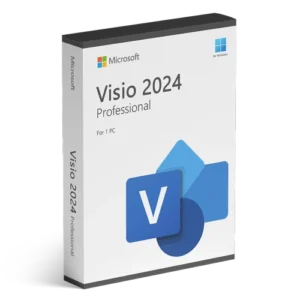
Draw diagrams, flowcharts or floor plansVisio Professional 2024Microsoft’s diagramming app, one-time purchase
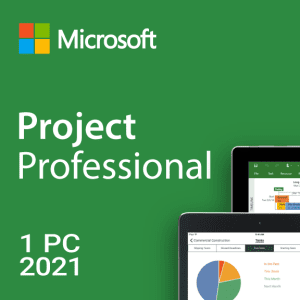
Plan projects, schedules and resourcesProject Professional 2021Gantt charts, resource planning, one-time purchase
Write softwareVisual Studio 2022 ProfessionalMicrosoft’s full IDE for Windows development
Run a business serverWindows Server 2025 StandardAdd RDS CALs if users connect by Remote Desktop
Host a databaseSQL Server 2019 StandardMicrosoft’s database server for business apps
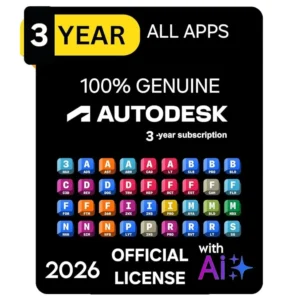
Work in CAD, 3D or designAutodesk All Apps (3 years)AutoCAD, Revit, 3ds Max, Maya and more

Business & Developer Software

Servers, databases, planning, diagramming, development and design tools.

Windows Server & SQL Server License Keys

Windows Server 2025, 2022, 2019 and 2016, RDS CALs and SQL Server. See all →

Standard or Datacenter? Windows Server Standard suits a physical server or up to two virtual machines; Datacenter allows unlimited virtual machines on the licensed host. If users connect through Remote Desktop, you also need RDS CALs. See all Windows Server and SQL Server licenses.

AutoCAD & Autodesk All Apps Subscription

AutoCAD, Revit, 3ds Max, Maya and more in one subscription. See all →

Good to know: the Autodesk All Apps subscription is delivered as an email invitation to your own Autodesk account rather than a product key, and runs for 3 years. See Design & CAD software.

OEM vs Retail Keys: What Are You Buying?

Both OEM and retail keys activate the full version of Windows or Office. The difference is what happens if you change computers.

OEM keyRetail keySubscription (Office 365)
What you getFull version, one PCFull version, one PC at a timeFull apps while the subscription is active
Move to a new PC?No, it stays with the first PC it activatesYes, after removing it from the old PCYes, sign in on the new device
Reinstall on the same PC?Yes, it reactivates automaticallyYesYes
PriceLowestHigherPaid every year

The license type is listed on every product page and in the product name, so you can pick the one that fits.

Why are our prices lower than the Microsoft Store?

Most of our Windows keys are OEM licenses, and every product is delivered digitally: no box, no shipping and no retail-store margin. An OEM key activates the same full Windows as a retail copy, but it stays tied to the first PC you activate it on. If you need a license you can move between computers, choose a retail license instead.

BuyDigital vs Buying Direct from Microsoft

ProductMicrosoft Store (US)BuyDigitalWhat's different
Windows 11 Pro$199.99$12.99Microsoft sells a retail license you can transfer; ours is an OEM key for one PC
Windows 11 Home$139.00$13.99Same: retail at Microsoft, OEM key for one PC here
Office Home & Business 2024$249.99$210.00Both are one-time purchases for one PC or Mac

Microsoft prices are taken from microsoft.com (US store) and were checked on 2 November 2026. BuyDigital prices are in USD; the current price is always shown on each product page. Buying direct gives you a retail license with Microsoft's own support. Buying here gets you a lower price, our activation help, and a replacement or refund under our refund policy if a key fails.

Windows & Office Guides

Microsoft License Keys: Frequently Asked Questions

How do I receive my Microsoft license key?

Your key is sent by email right after payment, usually within a few minutes. If you don't see it, check your spam or junk folder, or contact us at admin@buydigital.fun.

How do I activate Windows or Office?

For Windows, go to Settings → System → Activation → Change product key and enter your 25-character key. For Office, follow our Office 2024 installation and activation guide.

Is it a one-time purchase?

Windows and Office keys are one-time purchases for one PC. Subscriptions such as Office 365 are clearly marked on the product page.

What if my key doesn't activate?

Reply to your order email or write to admin@buydigital.fun and our support team will help you activate it. If a key does not work and we cannot replace it, you get a refund under our refund policy. Contact us within 7 days of your order.

Which payment methods do you accept?

You pay securely by credit or debit card through Stripe. Apple Pay, Google Pay and Link are also available at checkout on supported devices.

What is the difference between an OEM and a Retail key?

Both activate the full version of Windows or Office. An OEM license is tied to the first PC it is activated on, while a Retail license can be moved to another PC after removing it from the old one. The license type is listed on every product page.

Can I upgrade Windows Home to Windows Pro?

Yes. Buy a Windows 11 Pro key, then go to Settings → System → Activation → Change product key and enter it. Windows upgrades to Pro in place – no reinstall and no files lost.

Do these Office keys work on a Mac?

Office Professional Plus keys are for Windows PCs only. For a Mac, choose an edition marked "for Mac" such as Office Home & Business for Mac, or the Office 365 account, which works on Windows, Mac, iOS and Android.

Should I uninstall older Office versions first?

Yes. Remove any previous Office version or trial (Settings → Apps) before installing, to avoid activation conflicts. Then install from the official download link in your email and enter your key.

Are your Microsoft license keys genuine?

Yes. Every key activates the full Microsoft software through Microsoft’s own online activation, and you install from the official Microsoft download link we email you. If a key does not activate, we replace it or refund you under our refund policy.

Why are your prices lower than the Microsoft Store?

Most of our Windows keys are OEM licenses and everything is delivered digitally, with no box, shipping or retail margin. An OEM key activates the same full version but stays tied to the first PC you activate it on. The license type is shown on every product page.

Can I use one key on more than one PC?

No. Each Windows or Office key activates one PC unless the product page says otherwise. Office 365 is the exception: one subscription covers up to 5 devices.

Will my key still work after I reinstall Windows or change hardware?

Yes for a reinstall on the same PC: Windows reactivates automatically. An OEM key usually cannot move to a different PC or survive a motherboard replacement; a retail key can be moved after you remove it from the old PC.

Do your keys work in my country?

Check the product page for any region note before you buy. If a key will not activate in your country, contact us within 7 days of your order and we will replace it or refund you.

What is the difference between Office 2024 and Office 365?

Office 2024 is a one-time purchase for one PC (or Mac, depending on the edition) that you keep using with no renewal. Office 365 is a yearly subscription for up to 5 devices that includes cloud storage and always-updated apps.

About BuyDigital

BuyDigital sells Microsoft license keys for Windows 11, Windows 10, Office 2024, Office 2021, Visio, Project, Visual Studio, Windows Server and SQL Server, plus Autodesk subscriptions. Every order is a digital download: your key and the official Microsoft download link arrive by email within minutes, together with an activation guide and help if anything goes wrong.

BuyDigital.fun is operated by Buydigital LTD, Lot 39, Anmatjere NT 0872, Australia. Every product page states the license type (OEM, retail or subscription), how many devices it covers and how it activates, so you know exactly what you are buying before you pay.

Questions before you buy? Email admin@buydigital.fun or read our refund policy.

Last updated: 2 November 2026

Main Menu