No products in the cart.
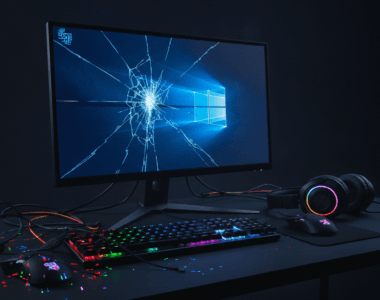
RGB software crashes have emerged as a legitimate stability issue for Windows 11 users, with Microsoft itself acknowledging that third-party RGB peripheral software is responsible for blue screens of death, system freezes, and game crashes. This isn’t a minor annoyance—it’s a widespread problem affecting anyone with gaming keyboards, mice, headsets, or other RGB-enabled hardware.
The culprit isn’t the RGB hardware itself, but rather the companion software that controls the lighting effects. These applications often run at system level with kernel-mode drivers, which means they have deep access to Windows operations. When something goes wrong in that software, it can take the entire operating system down with it. Microsoft has publicly flagged this as a critical stability concern, essentially telling Windows 11 users that their fancy gaming peripherals might be destabilizing their systems.
RGB Software Crashes – Why It Matters
The significance of RGB software crashes extends beyond just inconvenience. For gamers, a sudden blue screen in the middle of a competitive match is frustrating. For productivity users who also happen to have RGB peripherals, unexpected system crashes can mean lost work and wasted time. The problem is particularly troubling because users often don’t immediately suspect their peripheral software as the cause—they blame Windows itself or their hardware configuration.
Microsoft’s acknowledgment of this issue is important because it signals that the company is taking stability seriously and actively identifying problem sources. However, it also highlights a broader compatibility challenge: third-party software vendors need to step up their quality assurance, especially when their code runs at such a privileged system level.
RGB Software Crashes – What You Should Know
Not all RGB software is equally problematic. Some manufacturers have better driver quality and stability than others. If you’re experiencing unexplained crashes, freezes, or blue screens—particularly after installing new RGB peripherals—the software bundled with those devices should be your first suspect.
The practical implications are clear: you might need to choose between aesthetics and stability. Disabling RGB software or uninstalling it entirely is often the most reliable way to resolve these crashes. Some users have reported that updating to the latest driver version solves the problem, while others have had to disable RGB features completely or switch to peripherals with more stable software implementations.
Windows 11 users should monitor their system event logs if they’re experiencing crashes. Blue screen error codes and crash dumps can often point directly to a specific driver file, making it easier to identify which peripheral is causing the problem. If you see a third-party RGB driver mentioned in your crash logs, that’s your answer.
RGB Software Crashes – What Are the Options?
When dealing with unstable RGB software, you have several practical approaches depending on how much you value the lighting effects versus system stability.
| Approach | Update Drivers | Disable RGB Software | Replace Peripherals |
|---|---|---|---|
| Best for | Minor stability issues that may be fixed | Users who don’t need RGB lighting features | Those willing to invest in reliable hardware |
| Main advantage | Keeps lighting functionality while potentially fixing crashes | Eliminates the problem source immediately | Ensures compatibility with Windows 11 long-term |
| Main limitation | May not solve the problem if driver quality is inherently poor | Loses RGB lighting effects and customization | Requires spending money on new peripherals |
The first step should always be checking for driver updates from your peripheral manufacturer. Visit their website and download the latest drivers for your specific hardware. Sometimes a simple update resolves stability issues entirely.
If updating doesn’t help, your next option is to uninstall the RGB software completely and see if your system becomes stable. Most gaming peripherals work as standard input devices even without their companion software—you just won’t have customizable lighting or advanced features.
For those considering new purchases, look for manufacturers with strong reputations for driver stability. Some premium brands invest more heavily in software quality assurance, and the difference can be substantial.
RGB Software Crashes – Final Thoughts
RGB software crashes are a real problem affecting Windows 11 stability, and Microsoft’s public acknowledgment means the issue is being taken seriously. The responsibility now lies with peripheral manufacturers to improve their driver quality and stability. In the meantime, if you’re experiencing crashes and have RGB peripherals, don’t hesitate to disable or uninstall their software as a troubleshooting step.
The lesson here is that not all RGB software is created equal, and sometimes the trade-off between visual customization and system stability isn’t worth it. Your computer’s reliability should always come before flashy lighting effects.
FAQ
What causes RGB software to crash Windows 11?
RGB peripheral software often runs with kernel-mode access to your system, meaning bugs in that code can directly cause blue screens or freezes. Poor driver quality, conflicts with Windows updates, or incompatible code can all trigger crashes. The software itself, not the hardware, is the usual culprit.
How do I know if RGB software is causing my crashes?
Check your Windows Event Viewer for crash logs that mention third-party drivers. If you see a peripheral manufacturer’s driver name in crash dump files, that’s your problem. You can also disable the RGB software temporarily—if crashes stop, you’ve found your answer.
Will updating my drivers fix RGB software crashes?
Sometimes. Visit your peripheral manufacturer’s website and download the latest drivers for your specific device. Driver updates often include stability fixes. However, if the underlying software quality is poor, updating might not solve the problem completely, and you may need to disable RGB functionality entirely.

If you’re concerned about Windows 11 stability or looking for a fresh installation, you can find Windows licenses at buydigital.fun.