No products in the cart.
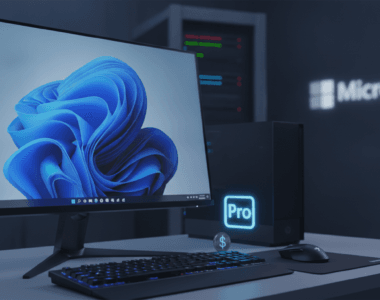
Windows 11 Pro is on sale for $9.97 right now—that’s less than a takeout lunch. Normally $199. If you’ve been putting off upgrading from Windows 10, this deal is the nudge you probably needed.
The price stands through October 20, and you get a lifetime license with no subscription or renewal. This isn’t a subscription. One payment. Done. That matters because Windows 10 is officially done—Microsoft ended support in October 2025, meaning PCs no longer receive regular security updates, feature updates, or technical support.
What you actually get with Windows 11 Pro
The jump from Windows 10 to Pro isn’t just a UI refresh. In my experience, the security improvements alone justify the move if you handle sensitive work or banking. Here’s what separates Pro from Home:
- BitLocker encrypts your entire drive, so files on a lost or stolen laptop are still protected
- Developers and IT workers get Hyper-V for running virtual machines, along with Windows Sandbox for testing apps in an isolated space that can’t affect the main system
- Azure AD support lets the PC join business networks and use Microsoft’s identity management platform
- Snap layouts organize windows for multitasking, DirectX 12 Ultimate runs the latest games at full graphics, biometric login pairs with TPM 2.0 hardware security, and Copilot runs from the taskbar to answer questions, summarize pages, and generate content
If you’re just browsing, writing emails, and streaming videos? Windows 11 Home covers that. But if you code, manage systems, encrypt files, or run virtual machines, Pro is the real deal.
One catch: check your hardware first
Windows 11 isn’t like earlier Windows versions—it has actual hardware requirements. Before buying, make sure your computer meets Microsoft’s Windows 11 hardware requirements using the PC Health Check app. If your Windows 10 PC isn’t eligible for Microsoft’s free upgrade, this license won’t override those hardware requirements. Run that check first. Takes two minutes. Saves frustration later.
The license itself is straightforward: one PC per license, non-transferable. You can’t install it on your laptop, desktop, and work machine. Pick one.
Why this timing actually matters
You could theoretically wait. Windows 10 machines still work. But security holes pile up. Every month Microsoft doesn’t patch Windows 10, you’re sitting on unfixed vulnerabilities. At $9.97, the cost is negligible compared to the hassle of dealing with a compromised system or rebuilding from a backup.
Need a genuine Windows 11 Pro license? buydigital.fun sells legitimate licenses at cheap prices with instant digital delivery, so you can activate the same day.
Pro vs. Home: When it actually matters
Windows 11 Home is solid. It has most of what Home users need. But the gap between Home and Pro keeps Pro’s value alive.
| Feature | Windows 11 Home | Windows 11 Pro |
|---|---|---|
| BitLocker encryption | No | Yes |
| Hyper-V virtualization | No | Yes |
| Windows Sandbox | No | Yes |
| Azure AD/business identity | No | Yes |
| Remote Desktop (host mode) | No | Yes |
| Group Policy Editor | No | Yes |
| Best for | Consumer use, casual work | IT work, dev, business, security-conscious users |
FAQ
Is this a real Microsoft license or some gray-market key?
Yes, it’s a genuine license sold through legitimate resellers like StackSocial. It activates on Microsoft’s servers just like a retail purchase. You get all updates and support. No sketchy business.
Will this work if I upgrade my motherboard or CPU?
Yes. Windows 11 Pro licenses activate with your Microsoft account, not tied to specific hardware. Swap parts freely. Just make sure your new setup still meets Windows 11’s minimum requirements.
What happens after October 20? Does the price go back up?
Almost certainly. These deals come and go. The regular price is $199. That’s where it’ll bounce back. If you’re on the fence, don’t wait.

Need a genuine Windows 11 Pro license? buydigital.fun has cheap prices on genuine Microsoft licenses, with instant digital delivery.