No products in the cart.
What ProPlus2021Retail Actually Is
ProPlus2021Retail is the product ID for Office 2021 Professional Plus retail edition, which differs from volume licensing versions used by organizations. It’s not a download link or file—it’s a product code. When you search for “proplus2021retail,” you’re usually hunting for how to get this specific version and activate it. This matters because the wrong activation method kills hours of frustration.
Here’s the thing: support for retail versions of Office 2021 ended on October 13, 2026. That means we’re right at the end of the line. It still works, but Microsoft won’t push security updates anymore. If you’re buying now, you’re buying an older product.
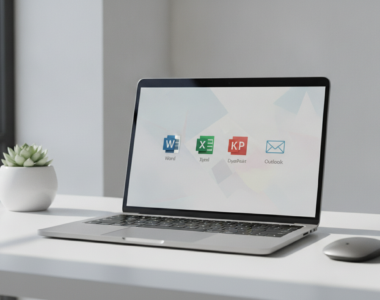
- Includes Word, Excel, PowerPoint, Outlook, OneNote, Access, and Publisher, plus Teams
- One-time purchase with no monthly subscription
- Windows only—not compatible with Mac
- Can be used for home and commercial purposes
- Retail activation uses a product key, not account-based licensing
Download the Official ProPlus2021Retail Installer
First thing: don’t grab Office from random sites. Bad downloads mean malware, fake keys, and headaches. Get the real installer from Microsoft’s CDN.
The official installer image is ProPlus2021Retail.img, about 3.5 GB. You’ll find it on officecdn.microsoft.com. Here’s how to grab it:
- Open your browser and go to Microsoft’s Office content delivery network
- Navigate to the ProPlus2021Retail.img file (English version is the standard)
- Download the .img file—this is a disc image, not an executable installer
- Save it somewhere you won’t accidentally delete it during installation
The download’s big. Expect about 20 minutes, and most of that is the download itself. Patience pays off here.
System Requirements Before You Install
Check your machine now. Nothing worse than halfway through installation discovering you can’t run it.
| Component | Requirement |
|---|---|
| Operating System | Windows 10 or Windows 11 (64-bit or 32-bit) |
| Processor | 1.6 GHz or faster, dual-core |
| RAM | 4 GB (64-bit) or 2 GB (32-bit) |
| Disk Space | 4 GB of available disk space |
| Internet | Required for download and activation |
| Display | 1280 x 768 screen resolution minimum |
Most machines from the last five years will sail through these. If you’re on Windows 7 or 8.1, sorry—Office 2021 won’t run on those.
Installing ProPlus2021Retail Step by Step
The .img file you downloaded is a disc image. You can’t just double-click it on older Windows versions. Here’s what to do:
Mount and Extract the .img File
- Right-click the ProPlus2021Retail.img file
- Select “Mount” (Windows 10/11) to open it as a virtual drive
- Your system treats it like a CD drive now
- Open the mounted drive and look for the setup.exe file
- Double-click setup.exe to launch the installation wizard
Run the Installation Wizard
- Click through the welcome screen
- Accept the terms and conditions (you have to read them, but let’s be honest—nobody does)
- Choose your installation location (default is fine for most people)
- Let it download and install all components. This takes a few minutes
- Don’t restart your PC yet if it asks—you need to activate first
Once installation finishes, don’t open Word or Excel yet. That’s when the activation screen pops up, and you’ll need your product key ready.
Activating ProPlus2021Retail With Your Product Key
Here’s where most people get confused. Retail versions are activated by signing into a Microsoft account or entering a 25-character key. ProPlus2021Retail uses a direct product key activation.
Online Activation (Recommended)
- Open any Office app—Word, Excel, PowerPoint, whatever you installed
- The activation wizard appears automatically on first launch
- You’ll see “Activate Office” prompt
- Type your 25-character product key (looks like: XXXXX-XXXXX-XXXXX-XXXXX-XXXXX)
- Click “Activate”
- If your internet is working, activation takes seconds
- You’ll see “Product Activated” when done
Phone Activation (If Internet Fails)
Sometimes online activation fails—bad network, key issues, whatever. Phone activation is your backup.
- Go through the same process in any Office app
- When prompted, select “Activate by Telephone” instead
- The system generates an Installation ID
- Call the toll-free number shown (it’s an automated bot, not a human)
- Read the Installation ID to the bot
- It gives you a Confirmation ID to enter back into Office
- Enter that Confirmation ID and you’re activated
Activation must be completed within 10 days of receiving your product key. Don’t sit on it.
ProPlus2021Retail vs. Other Office Editions
Microsoft sells a few versions of Office 2021 for individuals. Here’s how they compare:
| Edition | Apps Included | Best For |
|---|---|---|
| Home & Business | Word, Excel, PowerPoint, Outlook, OneNote | Small business owners, freelancers |
| Professional | Home & Business apps + Access, Publisher | Professionals needing databases and design |
| Professional Plus (ProPlus2021Retail) | Professional apps + Teams | Enterprise users, large teams, power users |
The real difference is Teams is included in Professional Plus, with file sharing, task monitoring, and video conferencing features. If you’re buying Office now for yourself, Professional Plus is overkill unless you’re running a team.
Getting a Genuine ProPlus2021Retail License
Prices vary all over the place. You’ll find deals ranging from suspiciously cheap to normal retail pricing. Microsoft doesn’t sell Office Professional Plus 2021 retail licenses at bargain-basement prices—the official MSRP is around $219.99. Be aware that ultra-cheap deals often use volume license keys intended for businesses, which violates Microsoft’s terms.
Get a genuine Office 2021 Professional Plus license from a reputable reseller. Cheap prices are fine—but avoid anything under $30. That’s a red flag.
Common Activation Problems and Fixes
Error: “This Product Key Can’t Be Used”
This happens when three things collide: wrong Office version, wrong key, or volume license confusion.
- Check if the key is for a different Office version (2019, 365, 2024) or if you installed a different edition (Standard vs Professional Plus)
- Never try to use a volume license key like a retail key, or vice versa
- Uninstall Office, restart your machine, and reinstall ProPlus2021Retail specifically—not a different edition
Error: “We Can’t Activate Office on This Device”
Retail licenses have activation limits, and if the license has been used on multiple PCs, activation can fail. You get one PC per retail key. That’s the deal. If you already used this key on another machine, contact Microsoft support or use a fresh key.
Activation Just Hangs
Boring but essential: check three things.
- Your internet connection is actually working
- Your system date and time are correct (seriously, this breaks activation more than you’d think)
- You don’t have an older version of Office still installed—uninstall it first
Frequently Asked Questions
Is ProPlus2021Retail the same as Office 365 or Microsoft 365?
Not even close. Microsoft 365 requires a subscription, while Office 2021 is a one-time purchase. ProPlus2021Retail is perpetual—you pay once and keep it forever (though support ended in October 2026). Microsoft 365 costs monthly but gets constant updates.
Can I use ProPlus2021Retail on Mac?
No. Office 2021 Professional Plus is Windows-only; if you’re on a Mac, you need Office for Mac 2024 instead.
Do I need internet connection after activation?
For activation, yes. After installation and activation, you don’t need internet to use Office 2021—all apps work offline.
What happens after October 2026 when support ends?
Support for Office 2021 ended on October 13, 2026, with no extended support period—but all Office 2021 apps may continue to function. You’ll still use Word, Excel, and the rest. You just won’t get new security patches. If security is critical to you, consider Microsoft 365 instead.
Can I install ProPlus2021Retail on multiple computers?
Only one device per retail license. This is a device-bound retail key that covers one PC. Need it on five machines? Buy five licenses or get a volume license agreement.
Need a genuine Office 2021 Professional Plus license? Get Office 2021 Professional Plus at buydigital.fun – cheap prices on genuine Microsoft licenses, with instant digital delivery.