No products in the cart.
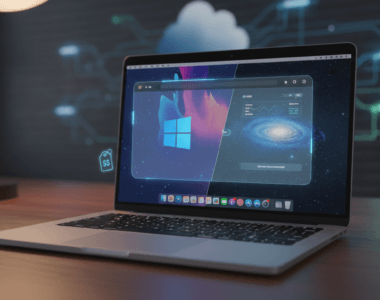
Getting Windows 11 Pro on Mac has become surprisingly affordable, with current pricing making it worth considering if you’ve been curious about running Windows on your Apple machine. But before you jump in, it’s worth understanding what this actually means and whether it’s the right move for your situation.
The appeal is straightforward: Mac users sometimes need Windows for specific software, compatibility, or work requirements. Whether it’s legacy applications, specialized business tools, or gaming, having access to Windows without buying a separate PC can be genuinely useful. The catch is that you’re not buying a new computer—you’re buying a software license that lets your Mac run Windows through virtualization or other methods.
Windows 11 Pro Mac – Why It Matters
For Mac owners who occasionally or regularly need Windows, Windows 11 Pro on Mac removes a significant barrier. Affordable licensing means the cost argument (“I’d have to buy an entire Windows PC”) disappears. This is especially relevant for students, remote workers, and small business owners who primarily use Mac but have specific Windows requirements.
The Pro version specifically includes Remote Desktop, Hyper-V virtualization support, and BitLocker encryption—features that matter if you’re doing anything beyond basic tasks. Home edition wouldn’t give you these capabilities, so Pro is often the more practical choice for serious work.
Windows 11 Pro Mac – What You Should Know
Running Windows 11 Pro on Mac requires virtualization software. Popular options include Parallels Desktop (the most common choice), VMware Fusion, or UTM. These applications create a virtual machine that runs Windows within macOS. The process is generally straightforward—install the virtualization software, add your Windows license, and follow setup prompts.
Performance is the key consideration. You’re essentially running two operating systems at once, so your Mac needs adequate RAM and storage. A modern Mac with at least 16GB of RAM handles this reasonably well. Older or entry-level Macs might struggle. Bear in mind that M1, M2, and newer Apple Silicon Macs have special compatibility requirements—not all virtualization software handles them equally well.
Storage is another practical concern. Windows 11 itself takes roughly 30-40GB of space, plus whatever applications you install. If your Mac has a small SSD, this could be restrictive.
Windows 11 Pro Mac – What Are the Options?
You have choices about both how to run Windows and which Windows version to buy. Here’s what matters:
| Method | Parallels Desktop | VMware Fusion / UTM |
|---|---|---|
| Best for | Mac users wanting simplicity and native integration | Budget-conscious users or those wanting free options |
| Main advantage | Most user-friendly, excellent Mac integration, official support | VMware is powerful for advanced users; UTM is free but less polished |
| Main limitation | Requires separate paid license | UTM has lower performance; VMware Fusion has lower market share |
Windows Home is cheaper but lacks Pro features like Hyper-V and Remote Desktop. Windows 11 Pro is better suited for serious work or development. If you’re only checking email or browsing, Home might be sufficient. If you need business-class features or compatibility with enterprise tools, Pro is the logical choice.
Windows 11 Pro Mac – Final Thoughts
Windows 11 Pro on Mac makes sense if you have specific Windows software you regularly need and you’re willing to invest in virtualization software alongside the Windows license. The math works best for Mac users who already own capable hardware and would otherwise need to maintain a separate computer.
The current pricing is genuinely competitive compared to past options, but don’t buy purely because of a discount. Consider whether you’ll actually use it regularly, whether your Mac has the resources, and whether virtualization will give you acceptable performance for your specific needs. If you’re just curious or need Windows occasionally, you might want to test drive virtualization software first or explore whether cloud-based alternatives work better for your situation.
FAQ
What is Windows 11 Pro Mac?
Windows 11 Pro Mac refers to running Windows 11 Pro on an Apple Mac computer through virtualization software. It’s a software license that allows you to access Windows and Windows-specific applications while maintaining your macOS environment.
Is Windows 11 Pro Mac worth it?
It depends on your situation. If you regularly need specific Windows software and already own a capable Mac, it’s often more affordable than buying a Windows PC. If you only occasionally need Windows or have an older Mac with limited resources, it might not be worth the investment in both the license and virtualization software.
Where can I get a Windows 11 Pro license?
Several retailers sell Windows 11 Pro licenses. For genuine software licenses, you can check Windows licenses at buydigital.fun, which offers competitive pricing on Microsoft software licenses.

If you’re looking for a genuine software license, you can check Windows licenses here.